Javascript 单元测试

前言

又是一周过去了,前两天去了 TP,还是挺累的,但文章不能停,虽然有点水,但还是要继续的。这周就学习一下前端的单元测试框架吧,尤其是 UI 测试

测试框架

  • Jest
  • Mocha
  • Jasmine

Jest

Jest 是 Facebook 出品的测试框架,是非常优秀的~其提供了 快照测试,对于 UI 测试是很有帮助的

基本使用

使用 npm 安装:

1
npm install --save-dev jest

让我们开始为一个假设函数编写测试,该函数将两个数字相加。 首先,创建一个 sum.js 文件:

1
2
3
4
function sum(a, b) {
return a + b;
}
module.exports = sum;

然后,创建一个名为 sum.test.js 的文件。 这将包含我们的实际测试:

1
2
3
4
5
const sum = require('../src/lib/sum');

test('adds 1 + 2 to equal 3', () => {
expect(sum(1, 2)).toBe(3);
});

将下面的配置部分添加到你的 package.json 里面:

1
2
3
4
5
{
"scripts": {
"test": "jest test"
}
}

最后,运行 yarn testnpm run test ,Jest 将打印下面这个消息:

1
2
PASS  ./sum.test.js
✓ adds 1 + 2 to equal 3 (5ms)

也可以使用hook钩子,使用 describe,完成一个测试套件,

1
2
3
4
5
6
7
8
9
10
11
12
13
14
15
16
17
const sum = require('../src/lib/sum');

describe('sum', () => {
beforeAll(() => {
//
console.log("before all")
})
test('adds 1 + 2 to equal 3', () => {
console.log("exec test")
expect(sum(1, 2)).toBe(3)
})

afterAll(() => {
//
console.log("after all")
})
})

输出

1
2
3
4
5
6
7
8
9
10
11
12
13
14
15
16
17
18
 PASS  test/sum.test.js
sum
✓ adds 1 + 2 to equal 3 (3ms)

console.log test/sum.test.js:6
before all

console.log test/sum.test.js:9
exec test

console.log test/sum.test.js:15
after all

Test Suites: 1 passed, 1 total
Tests: 1 passed, 1 total
Snapshots: 0 total
Time: 0.819s, estimated 1s
Ran all test suites matching /test/i.

快照测试

每当你想要确保你的UI不会有意外的改变,快照测试是非常有用的工具。

安装 react-test-renderer

1
2
3
4
5
6
7
8
9
10
import React from 'react';
import Link from '../Link.react';
import renderer from 'react-test-renderer';

it('renders correctly', () => {
const tree = renderer
.create(<Link page="http://www.facebook.com">Facebook</Link>)
.toJSON();
expect(tree).toMatchSnapshot();
});

运行以后会生成 snapshot 文件

1
2
3
4
5
6
7
8
9
10
exports[`renders correctly 1`] = `
<a
className="normal"
href="http://www.facebook.com"
onMouseEnter={[Function]}
onMouseLeave={[Function]}
>
Facebook
</a>
`;

更新后

1
2
3
4
5
6
7
// Updated test case with a Link to a different address
it('renders correctly', () => {
const tree = renderer
.create(<Link page="http://www.instagram.com">Instagram</Link>)
.toJSON();
expect(tree).toMatchSnapshot();
});

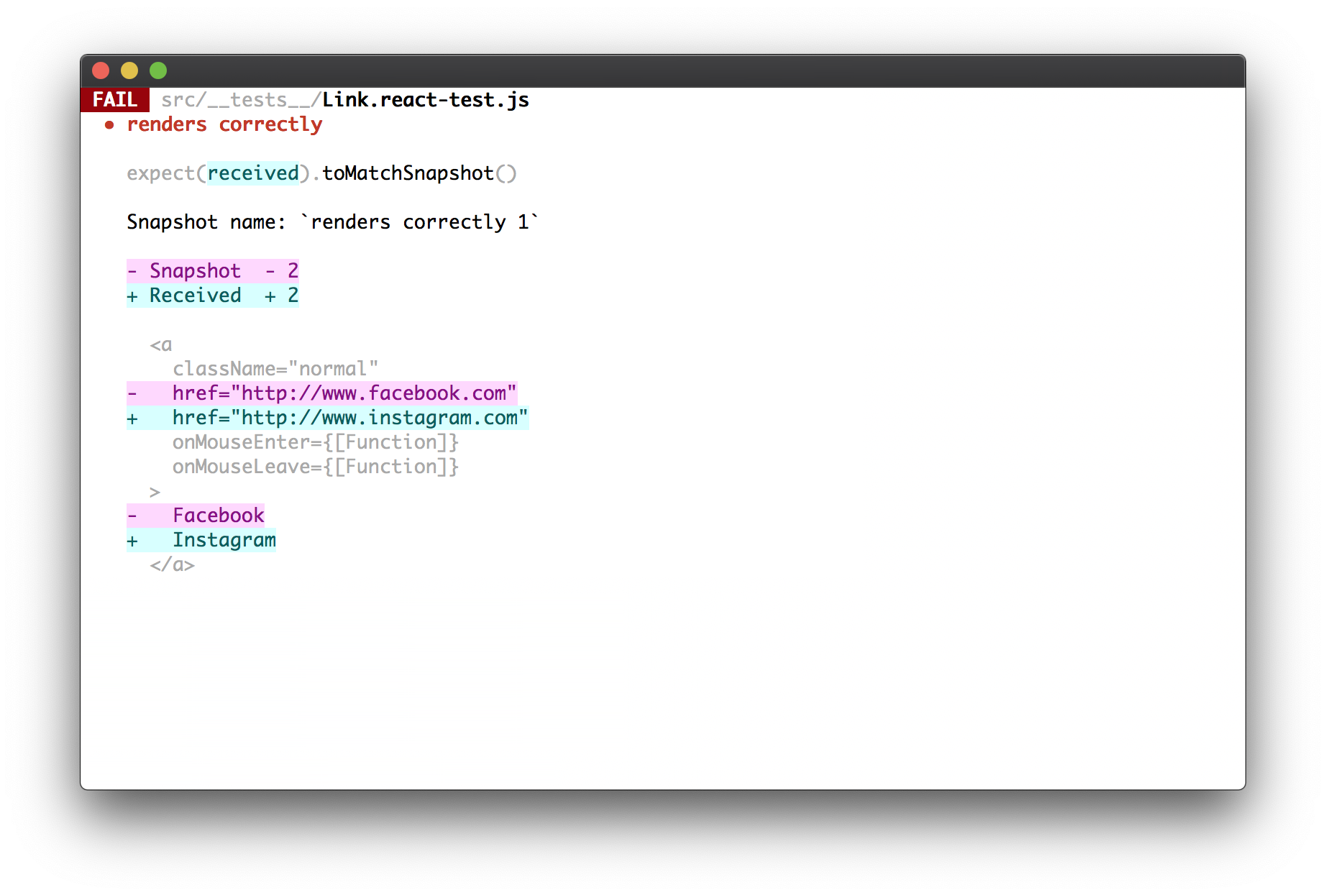
再次运行,会出现不一致的报错

failedSnapshotTest

可以使用以下命令更新快照文件

1
jest --updateSnapshot

Enzyme UI测试

Enzyme是Airbnb开源的React测试工具库

三种渲染方法

  1. shallow:浅渲染,是对官方的Shallow Renderer的封装。将组件渲染成虚拟DOM对象,只会渲染第一层,子组件将不会被渲染出来,使得效率非常高。不需要DOM环境, 并可以使用jQuery的方式访问组件的信息
  2. render:静态渲染,它将React组件渲染成静态的HTML字符串,然后使用Cheerio这个库解析这段字符串,并返回一个Cheerio的实例对象,可以用来分析组件的html结构
  3. mount:完全渲染,它将组件渲染加载成一个真实的DOM节点,用来测试DOM API的交互和组件的生命周期。用到了jsdom来模拟浏览器环境

三种方法中,shallow和mount因为返回的是DOM对象,可以用simulate进行交互模拟,而render方法不可以。一般shallow方法就可以满足需求,如果需要对子组件进行判断,需要使用render,如果需要测试组件的生命周期,需要使用mount方法。

总结

Jest 博大精深,功能非常完善